


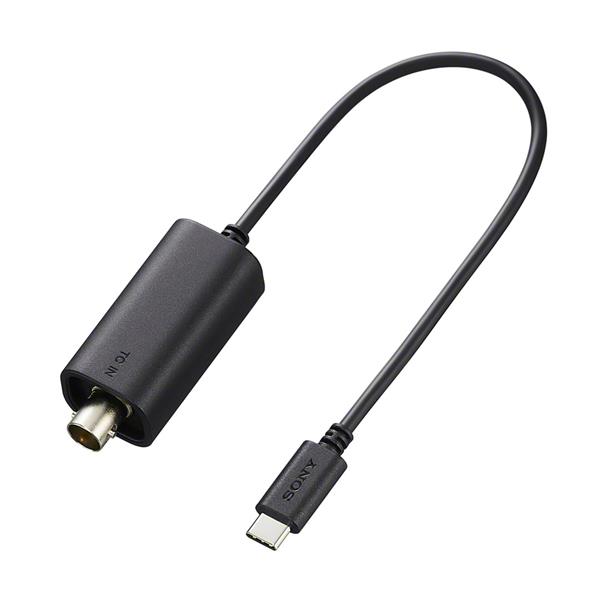

Sony VMC-BNCU1 Timecode Adapter Cable
Estimated Arrival Date (Limited Stock): October 2026
- Pre-order: No Money taken until order dispatched
Product code: 5397770
£89.00
- Essential accessory for multi-camera production
- integrate the FX5 into multi-camera workflows
- Maintain sync across all video and audio sources
- Converts BNC timecode signals to FX5's USB-C input
- Measures just 200mm
Price Match Promise
Click on the Price Match Promise link below or call us on 020 3322 3387.
Features
- Essential accessory for multi-camera production
- integrate the FX5 into multi-camera workflows
- Maintain sync across all video and audio sources
- Converts BNC timecode signals to FX5's USB-C input
- Measures just 200mm
-
Description
The Sony VMC-BNCU1 is an essential accessory for professional multi-camera production, enabling reliable timecode synchronization between the FX and the broader Cinema Line ecosystem—including the FX6, Burano, Venice, and FX9. With its compact 200mm design, it offers a seamless, unobtrusive connection, empowering filmmakers to maintain perfect sync across all video and audio sources without complicating their camera rig.
Seamless multi-cam sychronisation
Effortlessly integrate the FX5 into professional multi-camera workflows. This dedicated adapter cable converts standard BNC timecode signals to the camera's USB-C input, ensuring frame-accurate synchronization with the FX6, Burano, Venice, FX9, and other cinema production standards.Rig-friendly design
Measuring just 200mm, this cable provides a clean, low-profile connection essential for single-operator or small-crew environments. It allows you to maintain a streamlined rig while ensuring your timecode remains locked, whether syncing camera bodies or facilitating separate external audio recording.